Your team's AI knowledge base, organized.
Manage vaults, upload documents, and retrieve semantically relevant context — ready to drop into any AI pipeline.
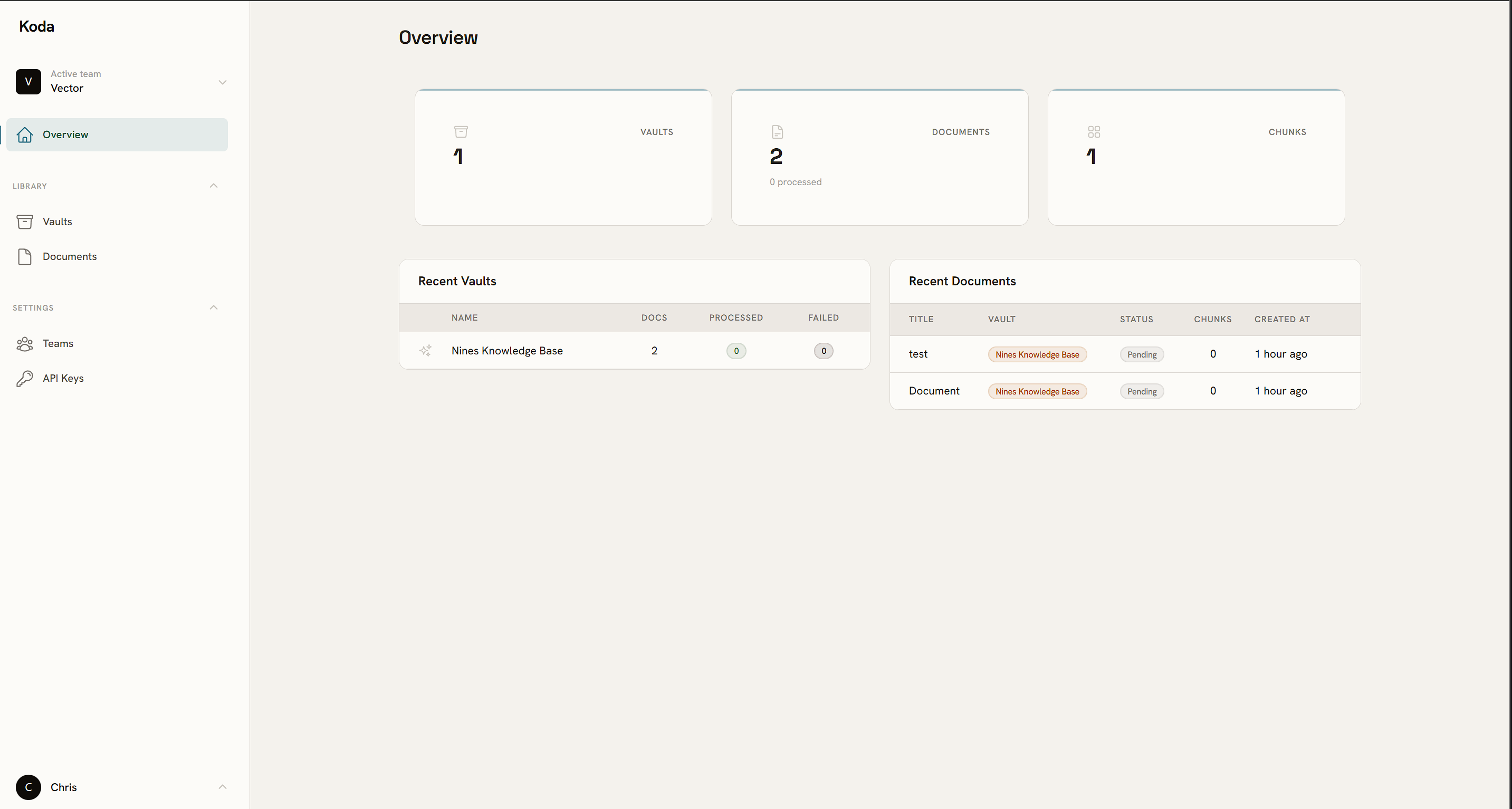
One place for all your AI context
Stop pasting raw docs into prompts. Vaults keep knowledge indexed, chunked, and queryable — ready when your model needs it.
Upload once, search forever
PDF, TXT, MD — drop in a file and Koda handles chunking, embedding, and indexing in the background. No pipeline to wire up.
Built for teams, not solo scripts
Multi-tenant from day one. Each team owns its vaults, members, and API keys — with full isolation between accounts.
The problems every AI project hits — solved before you do.
The problem
Important context is scattered across PDFs, wikis, and chat threads — impossible to query reliably.
With Koda
Vaults for every use case
Create a vault per domain — support docs, legal contracts, product specs. Each gets its own index, separate from everything else.
The problem
Keyword search breaks down the moment a user phrases a question differently from how the doc was written.
With Koda
Semantic search that finds intent
Vector similarity matches meaning, not keywords. "How do I reset my password?" finds the right chunk even if the doc says "account recovery".
The problem
RAG pipelines start as one developer's side project and quietly become the bottleneck everyone else waits on.
With Koda
Team-owned from day one
Invite your team, share vaults, and hand out scoped API keys with optional expiry. Multi-tenant isolation means no accidental cross-contamination.
The console your whole team will actually use
Non-engineers can upload documents and check processing status without touching any code. Engineers get vault configuration, embedding provider settings, and API key management — all in the same place.
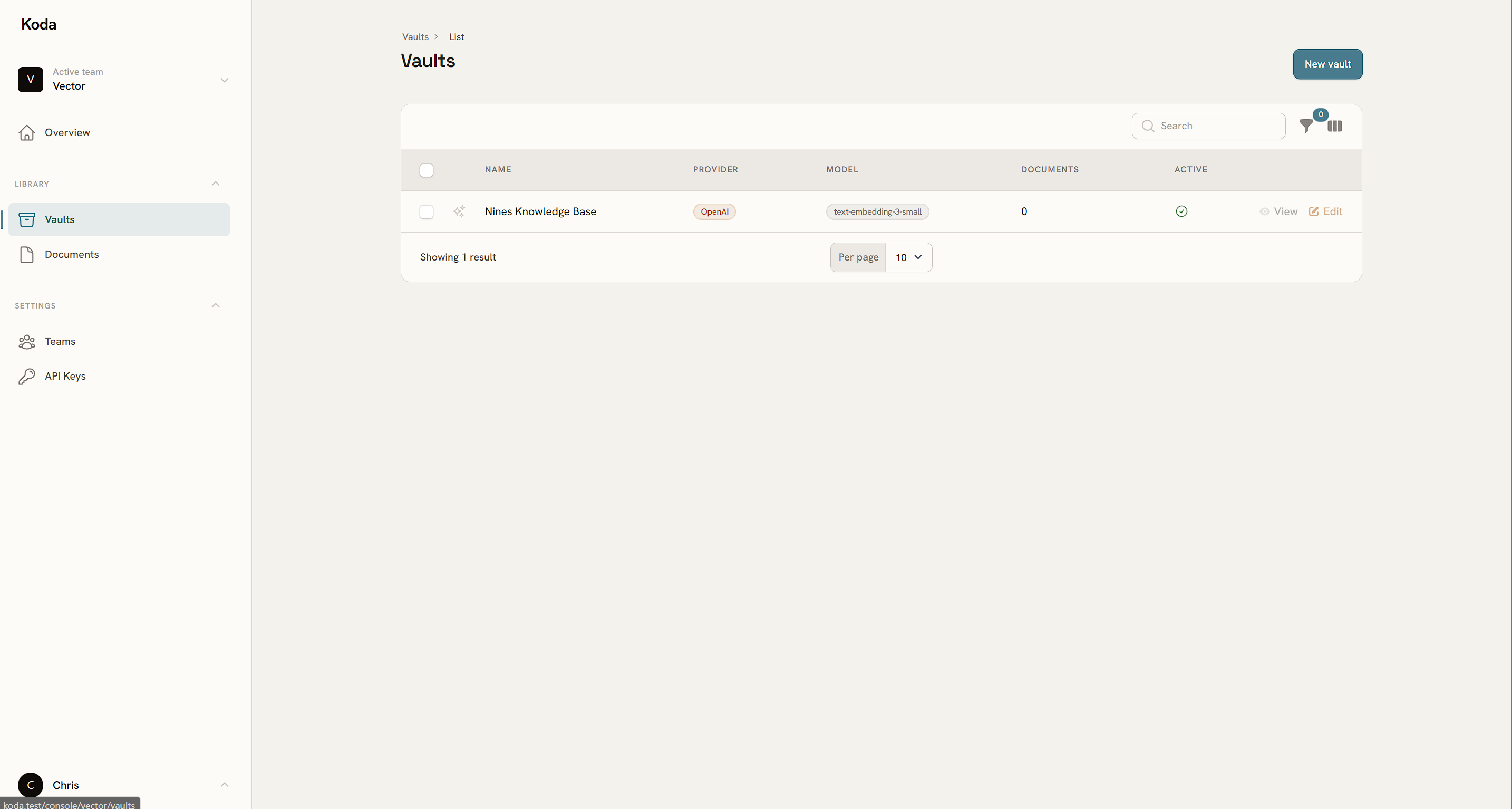
From upload to retrieval in three steps
Create a vault
Name it after its purpose — "Support docs", "Legal contracts", "Release notes". Configure the embedding provider once and forget it.
Upload your documents
Drag in a PDF or paste a text file. Koda chunks it, queues embedding generation, and shows you processed vs. pending counts per file.
Query it from anywhere
Search inside the console or hit the REST API from your app. Results come back with the chunk text, a similarity score, and the source document name.
Where Koda fits in your stack
Koda sits between your raw documents and your AI layer — handling all the ingestion and retrieval plumbing so you don't have to.
Your documents
PDFs, text files, markdown — whatever format your knowledge lives in.
Koda
Chunking, embedding, indexing, and retrieval — managed and queryable.
Your AI app
Chatbot, copilot, or LLM workflow — receives ranked context chunks ready to use.
Upload via console or API
Your team uploads docs through the Koda console — or automates it via API key.
Auto-processed in background
Files are chunked and embedded asynchronously. No waiting, no blocking your app.
Retrieve via REST
Query any vault with a natural-language string. Get back scored chunks ready for your LLM context window.
Your first vault is free.
Create a team, upload your first document, and have a working knowledge base in under five minutes. No credit card required.